Curious about what a digital graphic recording setup will look like at your event? I mean, the physical nuts and bolts. Though there’s no ‘one way’ to host a graphic recorder, I have noted some things that help many of us provide the best possible live event day services. I encounter my fair share of event hiccups working within such a broad range of gatherings. It seems most stress is avoidable with a bit of preplanning and grace.
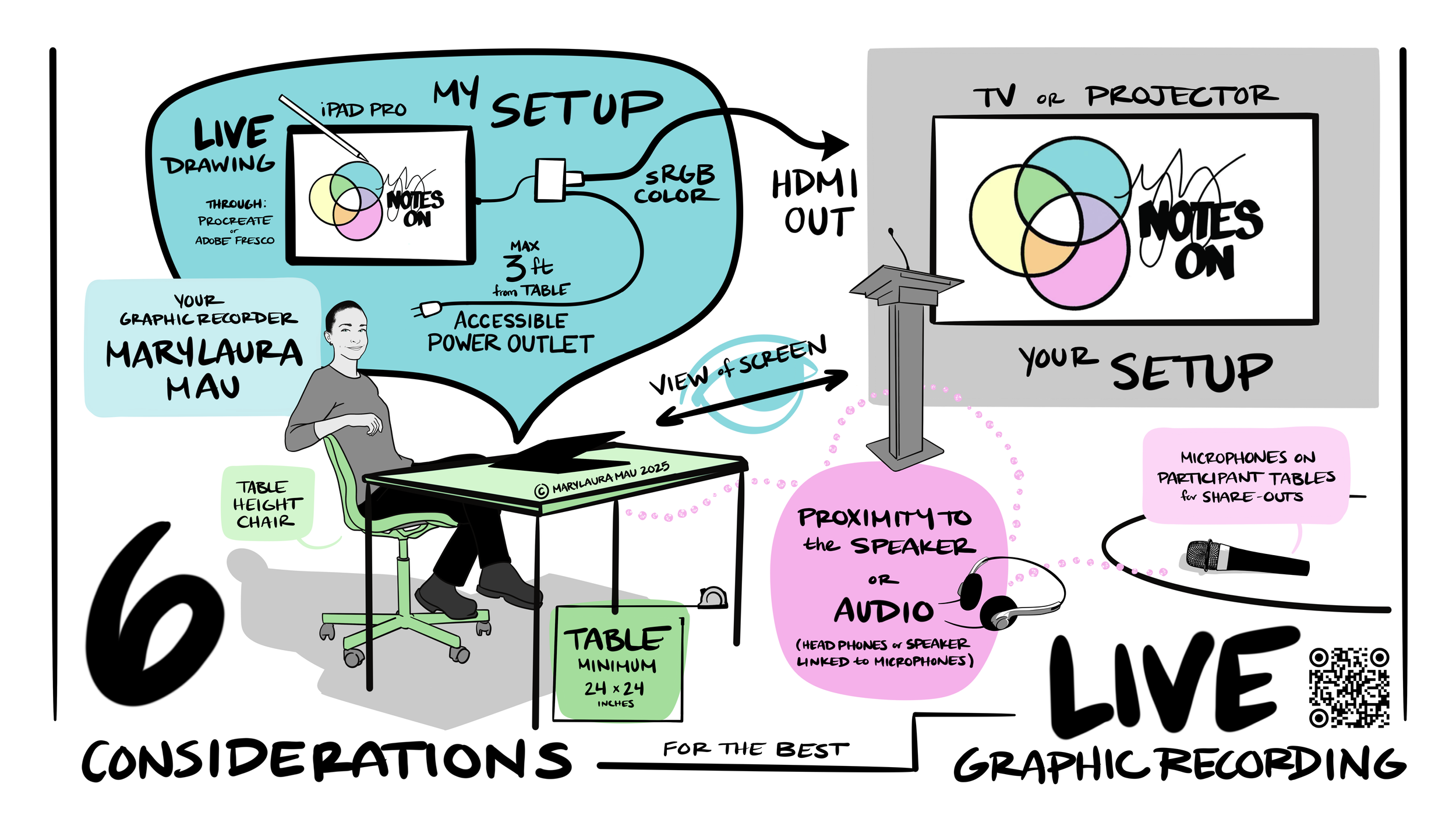
In the Visual Practitioner spirit, I illustrated the topics I walk my clients through during our consultation. Since I started providing this graphic to events and AV teams, I have noticed a simplified communication loop and increased efficiency on event day. Ask your graphic recorder their preferences toward any of these considerations in the early planning stages of your event. Knowing early means you can get ahead of any hiccups before event day.
Here are my six things to consider when planning your next event with a live digital graphic recorder.
If I can’t hear it, I can’t record it.
It’s super important to make sure your graphic recorder can hear what you want them to record. That may mean a personal speaker amp or headphones if they are in a tech booth with a lot of distracting background chatter. It often means a wireless microphone for participants if they are to share thoughts throughout the room. The placement of your graphic recorder matters, so please work with your event planner to make sure their table and chair are in a great spot that allows them to hear what you want captured.
Speaking of tables and chairs.
It’s best to consider how long your graphic recorder will be sitting and whether they can comfortably draw for hours. Finding a comfortable, padded office chair from somewhere in the building will make a world of difference to our ability to focus without pain. I beg of you, please don’t force your graphic recorder to sit for hours on a stool at a bar height table, OUCH.
HDMI cables
Most digital graphic recorders connect to your AV system through an HDMI cable. These are notorious for causing issues, whether it’s a loose connection or it’s been walked on for one too many events, the HDMI cable can go bad. Some graphic recorders keep a backup cable with them, but that’s heavy and not practical for those traveling to your event. Making sure your AV team has high-quality HDMI cables and backups will alleviate stress in the event of a bad signal between the graphic recorder and your projector/screen.
Freeze function
While you’re checking with your AV team, ask if the projector or video software they are using has a ‘freeze screen’ function. This feature allows your graphic recorder to freeze their image on the screen for participants to see during your breaks. Pausing the broadcast frees the graphic recorder to switch to other images on their tablet while there isn’t a live presentation to record. That time can be invaluable for them to prep files, change presenter names, etc, as events often need last-minute amendments. Flexible thinking is one of your live graphic recorders' many badass skills. You’ll be amazed at what they can pull together on a 15-minute break! If your AV team is using software to control the graphic recorder’s broadcast, it’s essential to designate a point person on that team who can easily communicate and facilitate the function.
View of the screen
It will benefit your graphic recorder to be able to see the screen they are projecting to. That way, they can be on top of any issues that may arise. A visual of the projection is also necessary if they are using a freeze function, so they know when they are ‘live’ or not. A view of the screen means the graphic recorder won’t have to rely on that AV point person as often.
Power
Access to an outlet is necessary for long recording days. Some graphic recorders also need a place to plug in if they are using any cooling or audio equipment. Electrical outlets can get tricky in a convention center or ballroom where walls may be far away from where the graphic recorder is stationed. You can work with your tech team ahead of time to have a power cord safely run to their table, especially if it needs to be taped down due to placement or foot traffic.
Overall, it's essential to facilitate communication between your event planner, AV team, and graphic recorder. This will allow you to streamline the process of incorporating live digital drawing into your event. If you are in a location where graphic recorders are rare, your AV team or event planner may be new to graphic recording and how it will affect their roles. Welcoming your graphic recorder to your event team during the planning stages is a great way to get everyone aligned well before show time. I have seen production magic happen when we are united!
Set up for success
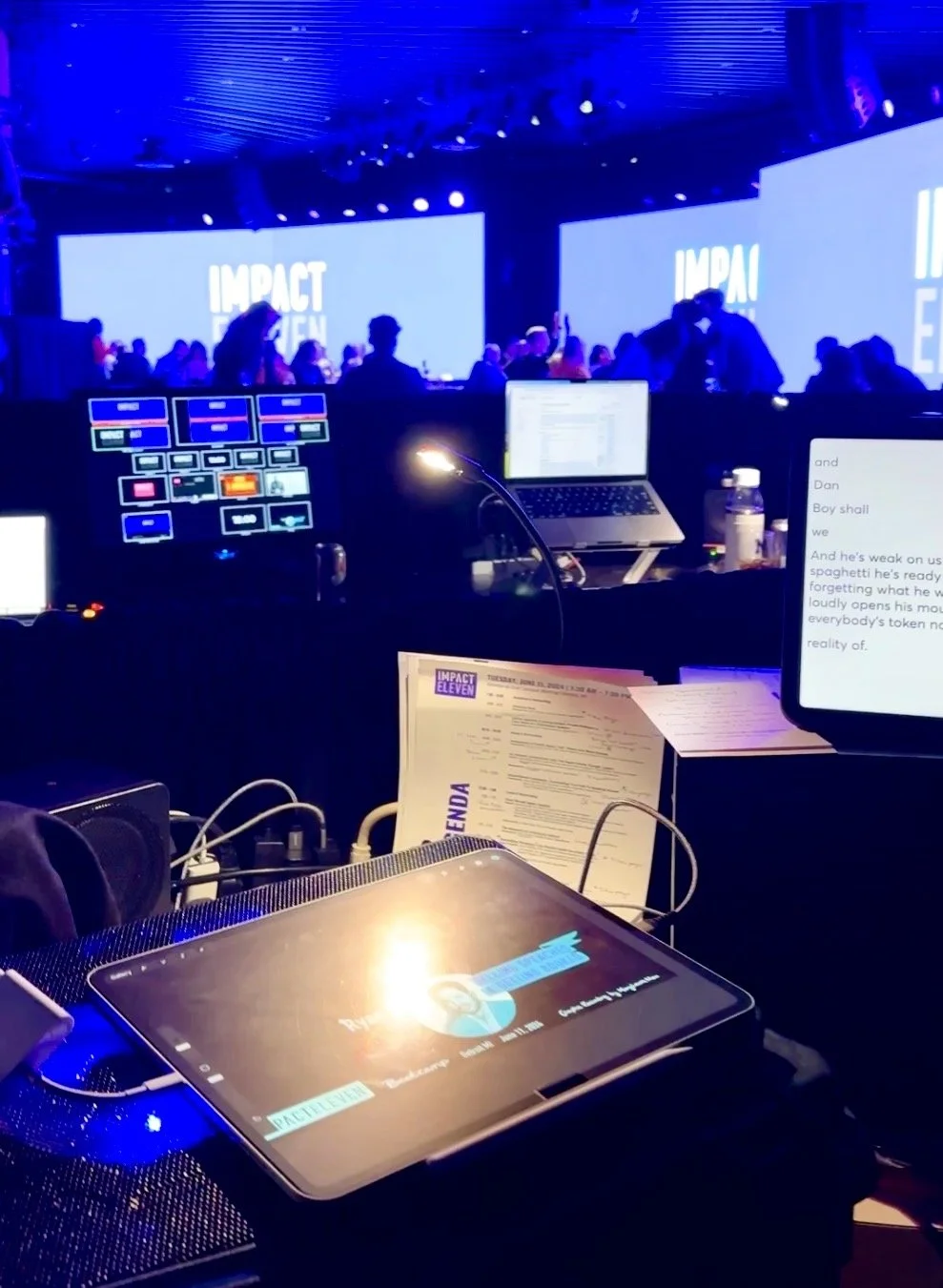
Welcome to my favorite tech booth. Talk about an amazing setup and crew! 5 giant floor-to-ceiling screens, the best gear, stellar communication, and brilliant event design made this marathon 3-day event possible.